Akai Professional MPK mini Play MK3

Akai Professional MPK mini Play MK3

€109,00
Sale price  €109,00 Regular price 
Skip to product information
Akai Professional MPK mini Play MK3

Akai Professional MPK mini Play MK3

Cod:

1070015548
€109,00
Sale price  €109,00 Regular price 

Spedizione gratuita

Ultimi pezzi

Ask an expert

We are musicians and are at your disposal, contact us!
info@yourmusiconline.it

Description

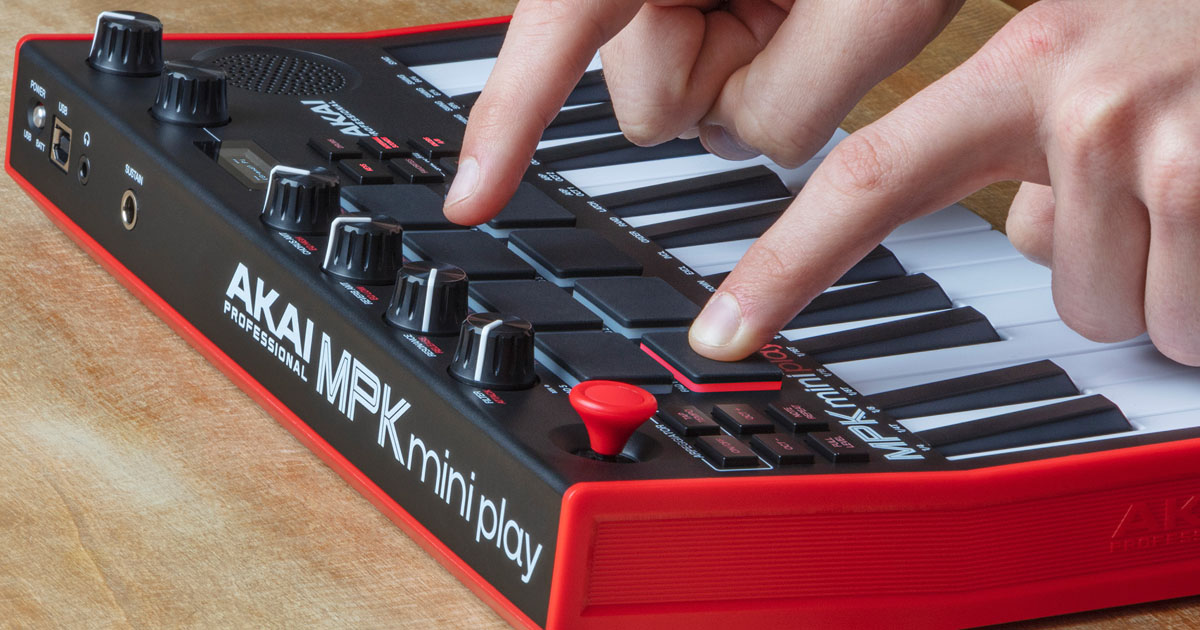
MPKmini Play MK3 is a compact keyboard with 25 mini keys and 8 MPC-style pads, featuring 128 sounds, 10 drum kits, a built-in speaker, and headphone output. It can be powered by 4 AA batteries (approximately 14 hours of battery life) or via USB. When connected via USB to your PC or Mac, it functions as a MIDI Controller.

Perfect as an easily portable entry-level keyboard to start playing and studying music or to practice without necessarily connecting to a computer, using headphones or the integrated speaker, or as a MIDI USB Controller for our computer-based DAW setups to produce music, the AKAI Professional MPKmini Play MK3 has been designed to accompany you everywhere.

Akai MPK mini Play MK3: 2-octave keyboard with 128 integrated sounds, 10 drum kits playable from the 8 drum pads

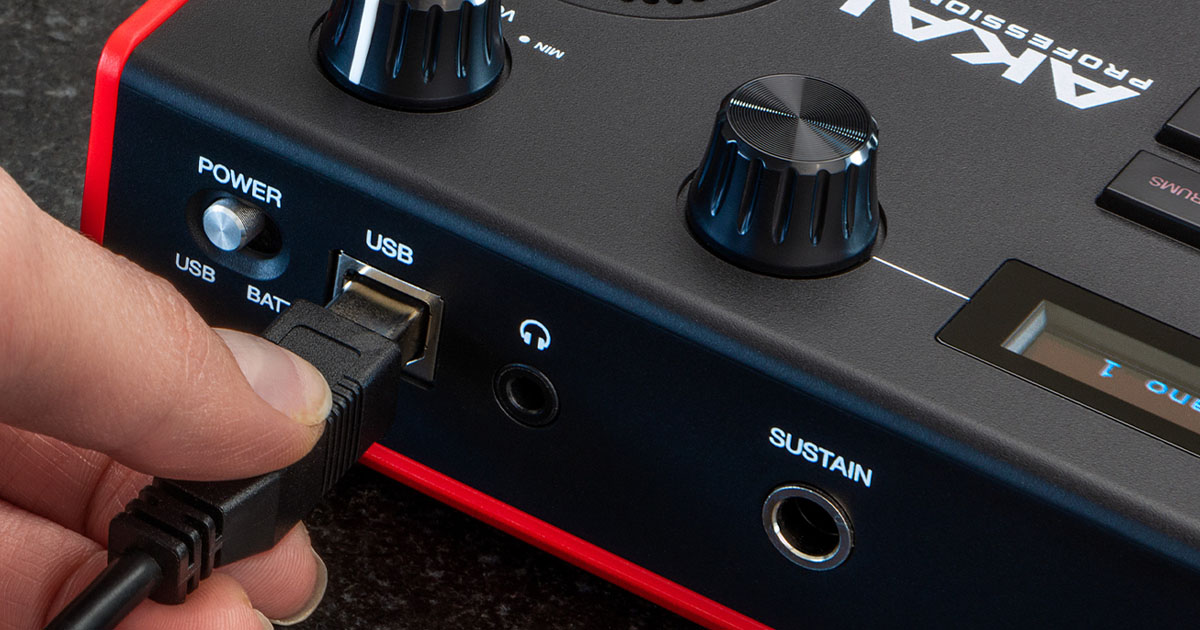
Powered by 4 AA batteries for approximately 14 hours of battery life, equipped with 128 sounds and a built-in speaker, a high-visibility OLED display for visual feedback of parameters, the MPK mini Play mk3 features a new generation velocity-sensitive 2-octave synth-action mini keybed, 8 MPC-style pads, 4 rotary potentiometers and a joystick for controlling sound parameters and assignable to MIDI Control Change, an encoder for selecting integrated sounds and one for controlling output volume, a sustain pedal input, and a type B USB port for connection, power, and use as a MIDI Controller Class Compliant for PC and Mac computers.

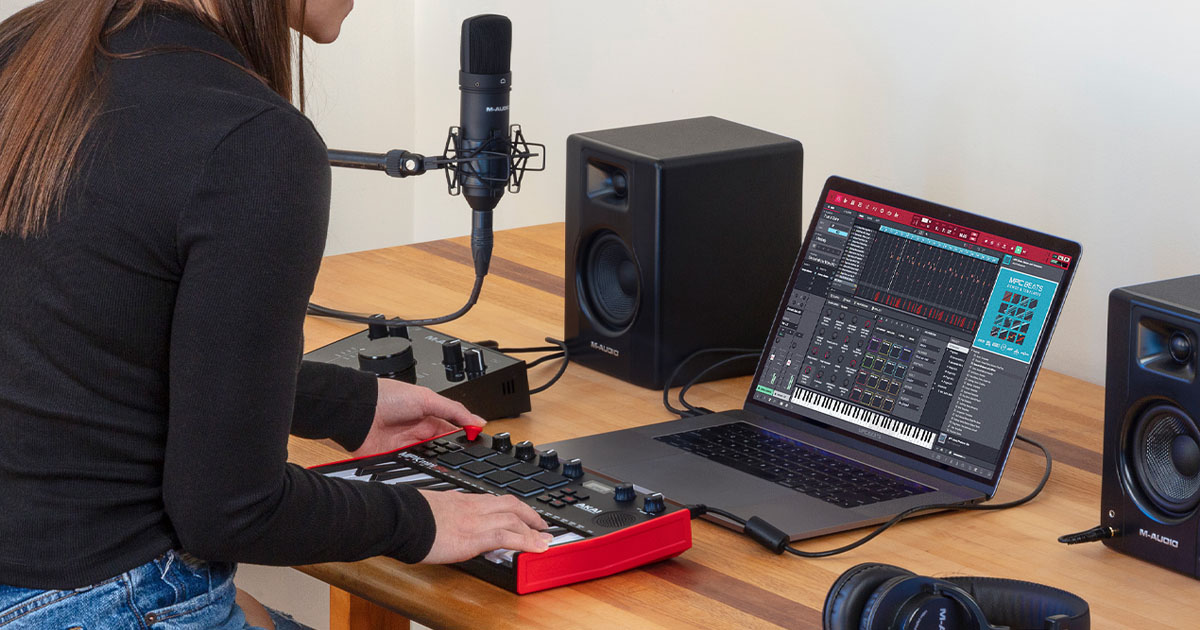
Akai MPK mini Play MK3 connects to your PC and Mac computer without drivers to function as a MIDI Controller for your favorite DAW software and music plugins. Produce music with MPkmini Play MK3

AKAI MPKmini Play MK3 offers an internal set of standard sounds consisting of 10 drum kits controllable from the Pads and 128 program sounds playable from the 25-key keyboard, including acoustic and electric pianos, synth leads, pads, etc. The transpose function (up and down) in octave steps is also present. We can save up to 8 “Favorite” presets directly on the MPKmini Play MK3, to quickly recall them when needed by pressing the corresponding button simultaneously with one of the 8 pads. A Favorite includes the sound assigned to the keyboard (Key Patch), the Drum sound assigned to the Pads (Drum Patch), and the effect settings on the potentiometers.

Akai MPK mini Play MK3 is compact, lightweight, and allows you to make music anywhere, on the sofa, in the park, while traveling. Listen to sounds from the integrated speaker, or with headphones if you don't want to disturb those around you

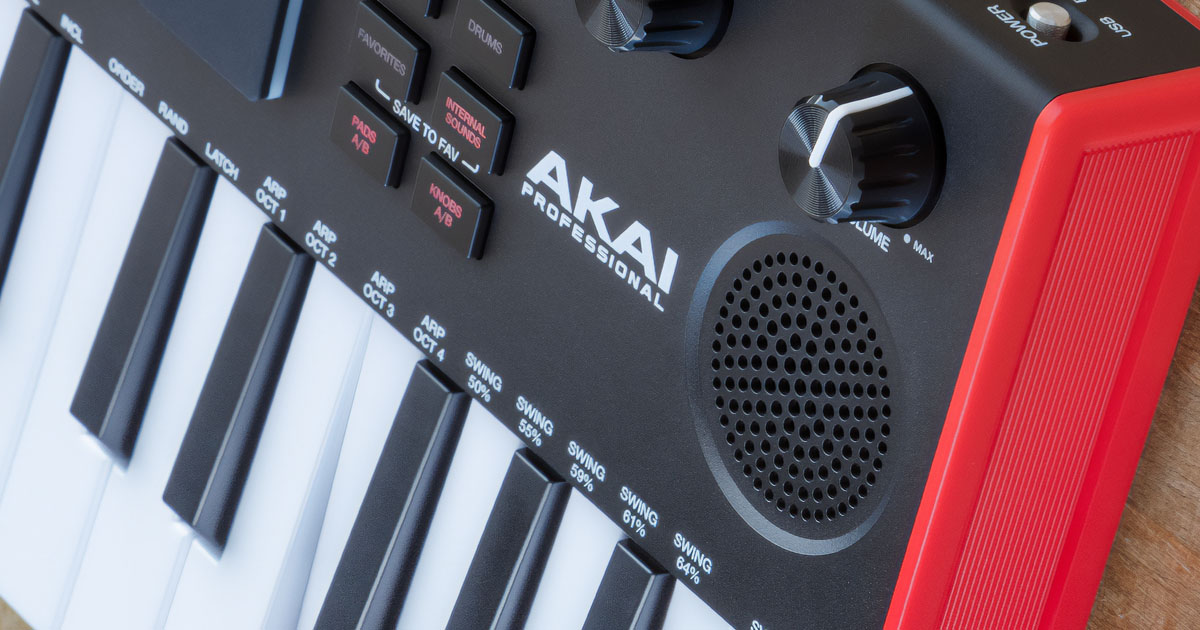
While maintaining an extremely compact (317x178mm), lightweight (860 grams), and thin (58mm) design, compared to the previous model, this MK3 version of the MPKmini Play features a renewed and optimized miniature amplification system, which offers an improved listening experience of the integrated sounds, with more volume and extended low frequencies. For an even more immersive listening experience or to avoid disturbing those around us, we can connect our favorite headphones and play in absolute tranquility. In addition to the keyboard, the 8 pads have also been improved to offer excellent touch response and dynamics in pure MPC style.  

Transform a chord into a captivating rhythmic/melodic pattern thanks to the programmable arpeggiator, with Swing function and various presets that will provide you with professional functions that will open up new possibilities for your ideas and creative vein.  

Free DAW software and plug-ins with MPKmini MK3

Along with your Akai MPK mini Play MK3, you will find a rich set of free software: MPC Beats DAW for music production, virtual instrument plugins Air Music Hybrid 3, Mini Grand and Velvet, the educational software Melodics

Those who purchase an Akai Pro MPKmini MK3 keyboard will receive (via download) the DAW software  MPC Beats  (click here for info), the virtual instruments (AU and VST) from AIR Music Tech  Hybrid 3  (perfect for EDM, Trap, House, Techno, and electronic genres in general), the  Mini Grand piano, and the  Velvet electric piano. These are professional tools used daily in the most renowned DAWs by thousands of producers worldwide. To obtain the software, you will need to create an account on the  AKAIPRO.COM website (click here), then  register the product by entering the serial number of the instrument indicated below the barcode (click here), then scroll down the page to the “Software Downloads” section where you will find the link to download the content.

60 Free Melodics Lessons  with MPKmini MK3

The free applications included with your MPKmini MK3 include 60 lessons from the well-known educational software Melodics, usable on PC, Mac, and the dedicated iPad app. Melodics is an application that helps you improve timing, expand your musical vocabulary, and practice while having fun with your Akai Professional keyboard. Melodics lessons allow you to play in real-time and receive immediate visual feedback to help you constantly improve with each lesson.

The MPC BEATS DAW software for  MPKmini MK3

A complete work environment, with projects that can host 2 stereo audio tracks and 8 MIDI/instrument tracks, a 2GB sound collection, 3 virtual instruments, and a substantial library of plug-in effects for mixing and mastering developed by Air Music Technology and AKAI Pro. In addition, MPC Beats supports third-party virtual instruments and plug-in effects in AU and VST formats, to integrate instruments or processors you simply can't do without into its workflow. MPC BEATS includes a collection of excerpts (one-shot samples, loops, and sounds) from the most popular MPC Expansion Packs, programmed by renowned sound designers from the international scene: from Araab Muzik & Motif Alumni to MSX Audio, F9 Instruments, and others. Drum kits containing powerful kicks, aggressive claps and snares, melodic loops, basslines, and much more to put all the useful sounds for composing your beats at your fingertips.  MPC BEATS  works both standalone and as a  plug-in  within DAWs compatible with VST and AU formats.  For more information on MPC Beats: click here.

Akai MPK mini Play mk3 Features

        
  • 25 velocity-sensitive mini keys
  •     
  • 128 built-in sounds
  •     
  • 10 Drum Kits
  •     
  • Built-in speaker for listening to internal sounds
  •     
  • 8 MPC-style drum pads
  •     
  • 8 “Favorite” memories
  •     
  • 4 assignable potentiometers (MIDI)
  •     
  • Assignable joystick
  •     
  • Sustain Pedal Input
  •     
  • MIDI Controller functionality for PC and Mac
  •     
  • OLED display for visual feedback of parameters
  •     
  • Integrated and programmable MIDI arpeggiator
  •     
  • 1/8” stereo mini-jack headphone output
  •     
  • USB type B MIDI Class Compliant port
  •     
  • PC and Mac compatible: no drivers required
  •     
  • Powered via USB or with 4 AA batteries
  •     
  • 14 hours of battery life when battery-powered
  •     
  • Dimensions and weight: 317x178x58mm; 860 grams

The new amplification system integrated into the Akai MPK mini Play MK3 offers more volume and extended low-frequency coverage with a single speaker compared to the previous model

Differences from the previous version of MPKmini Play:

        
  • Longer battery life when battery-powered
  •     
  • Improved integrated amplification: more volume and extended lows

Software included (via download) with your MPKmini Play MK3:

To get the software included with Akai MPKmini Play MK3:

Create an account and register the instrument on the InMusic website, owner of the Akai Professional brand  (click here)

NB:  Software applications are included free of charge for promotional purposes and may change over time without notice. Algam EKO is solely responsible for the hardware instrument and cannot provide technical or commercial assistance for free or third-party software provided with the product.  For software support, consult the manual or online help of the software you are using.

NB:  The use of authorization codes, i.e., the download and activation of the software provided free of charge, voids the right of withdrawal.

Similar products